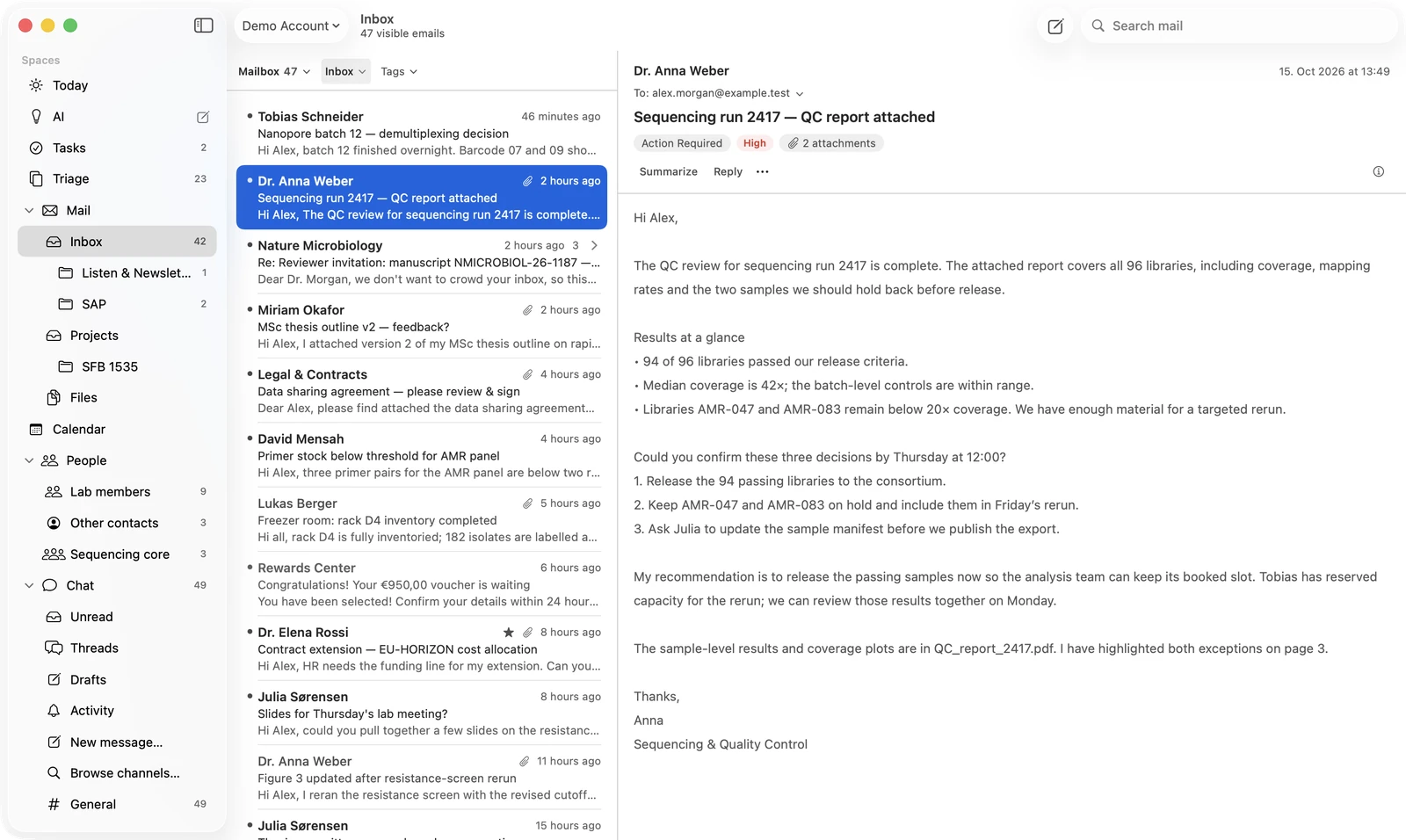
Your mailbox, on your Mac.
A native mailbox for your work mail. Each mail is tagged as it arrives: a request, a deadline, a paper to read. A long mail can be summarised in place.
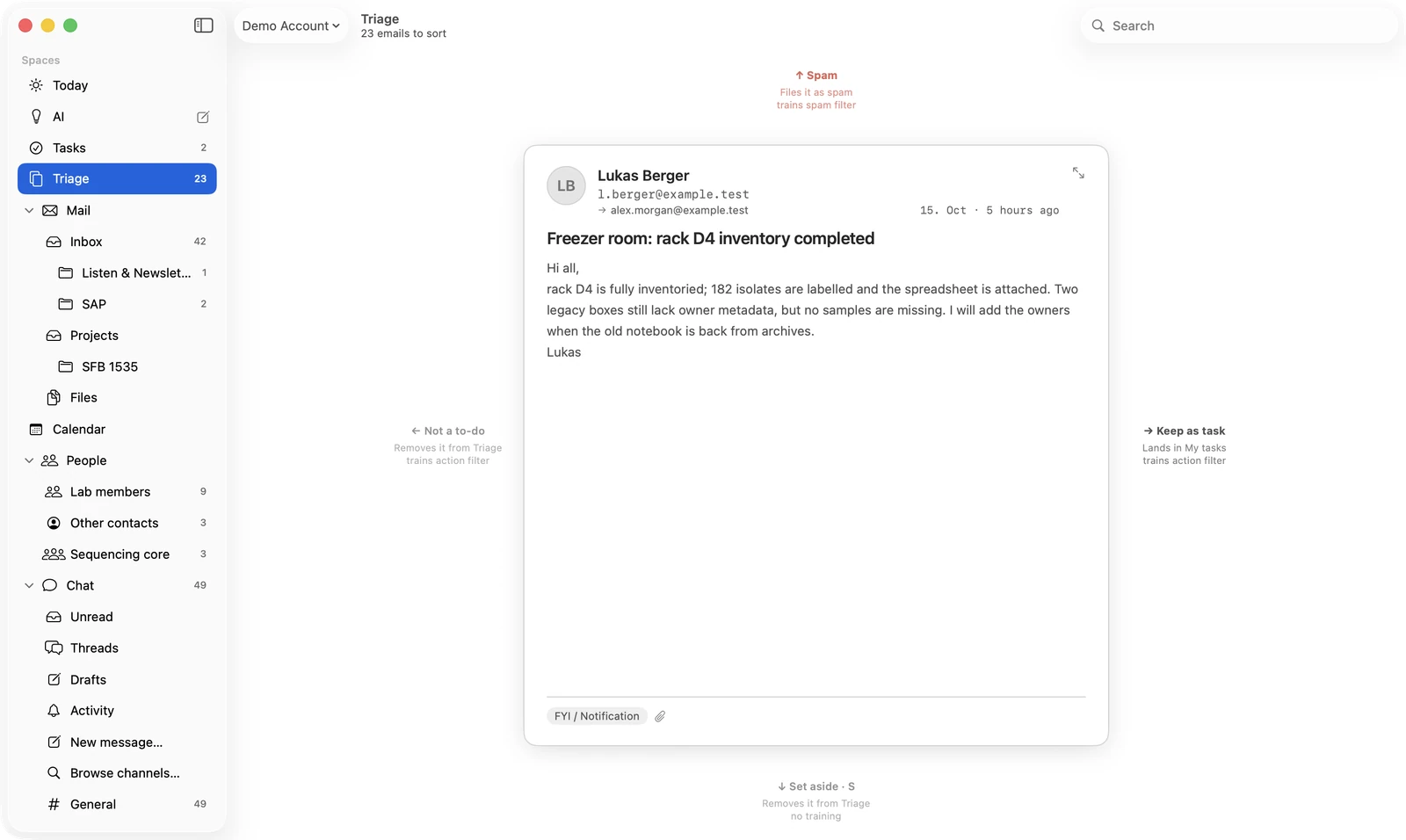
Triage
Every mail gets one of four answers.
Triage shows one mail at a time. You move it one of four ways, and the filters learn from what you choose.
- Keep as taskLands in your active tasks. Trains the action filter.
- Not a to-doRemoves it from Triage. Trains the action filter.
- SpamFiles it as spam. Trains the spam filter.
- Set asideRemoves it from Triage. No training.
Your answer is kept. When mail is sorted again, what you decided stays, and every correction is recorded for the filters.
Tasks
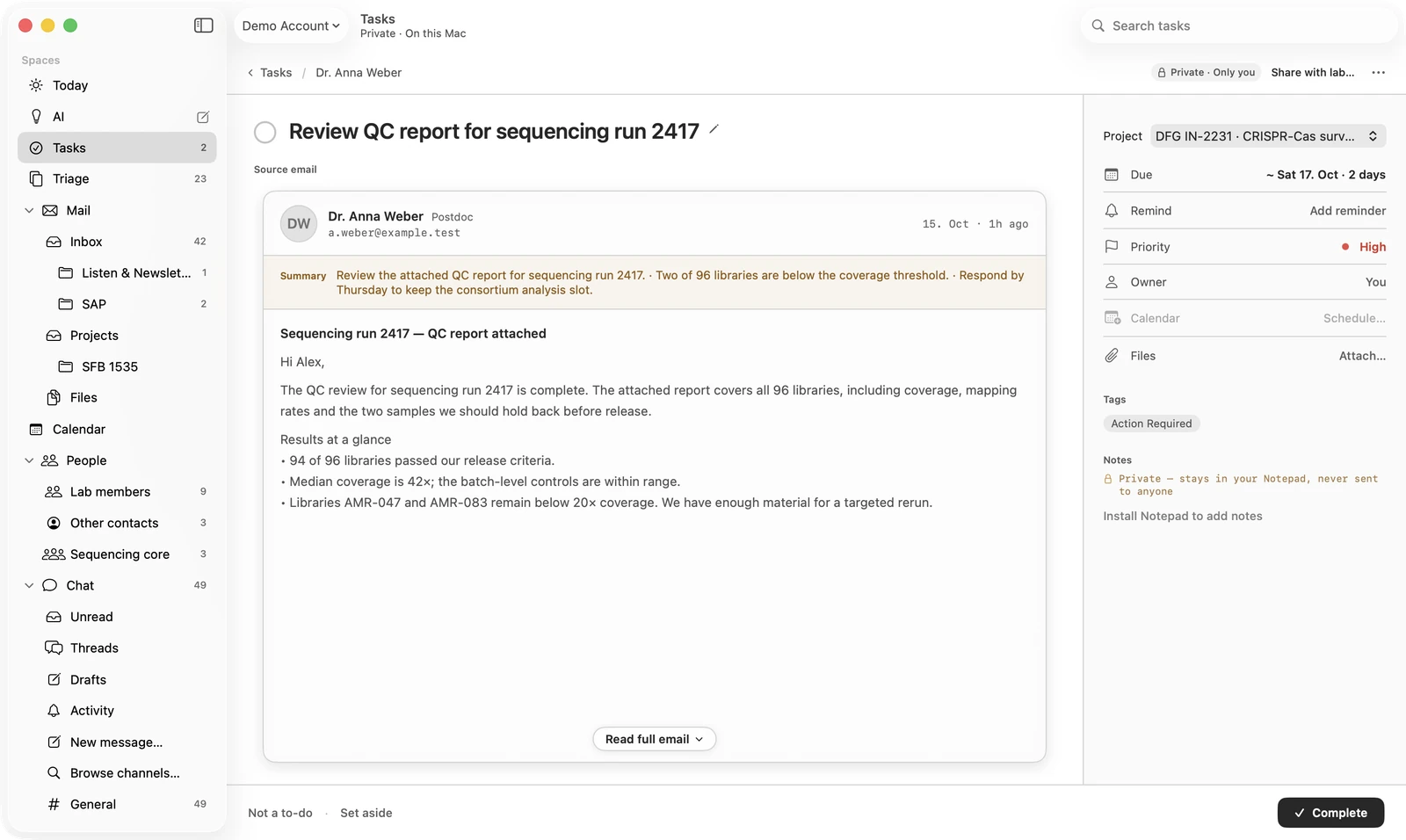
What needs doing becomes a task in OS.
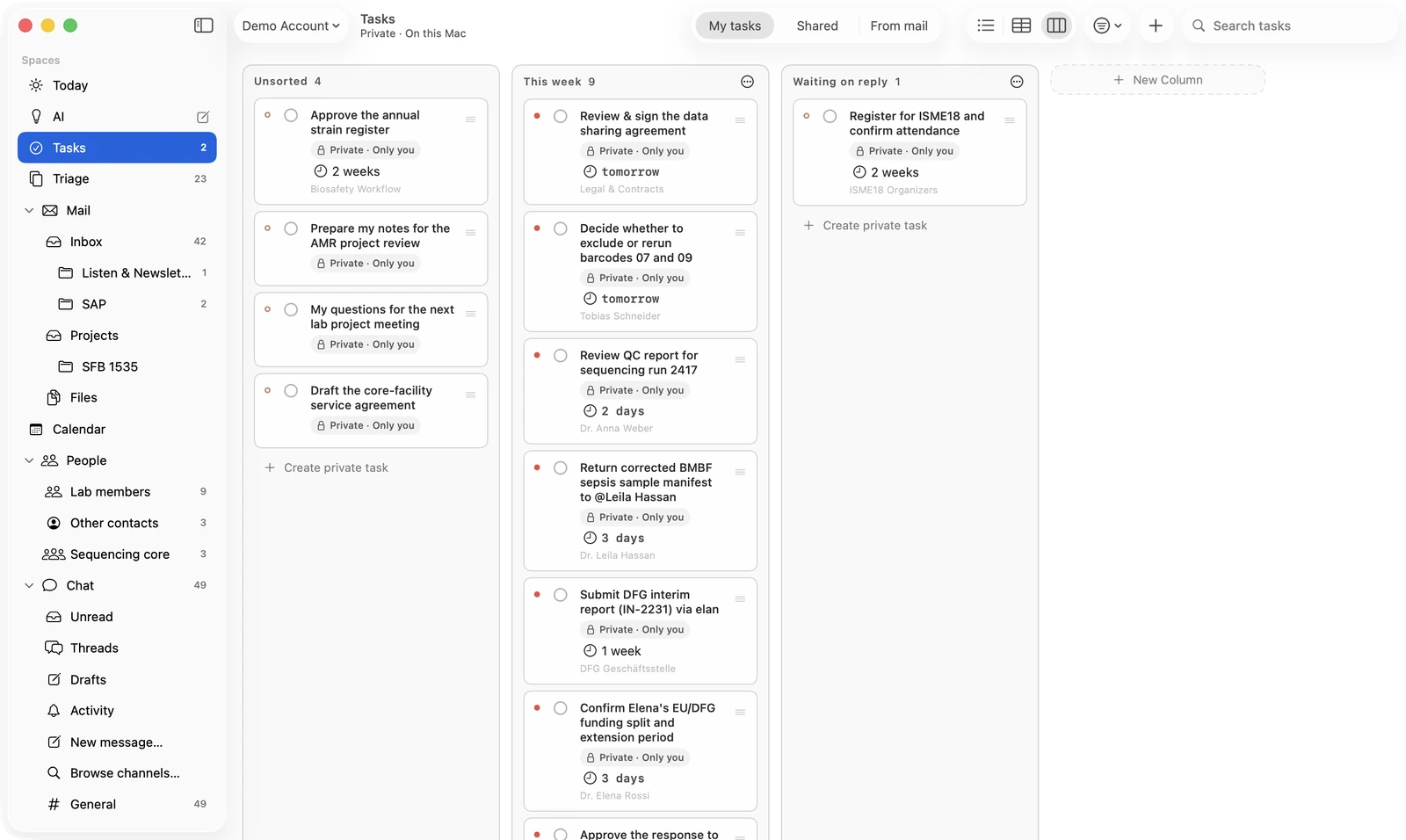
A task keeps the mail it came from, a short summary, its date, its priority and its project. Today and Tasks show what is due and what is waiting, in one list.
- Mail arrivesCompanion reads it and tags it: a request, a deadline, a paper to read.
- A task is proposedThe proposal waits in Triage. Nothing is created until you look at it.
- You decideAccept, change the person or the date, or dismiss. Accepted tasks appear in Today.
- The lab sees itWith team sync on, the task is in OS too, next to the chat and the project it belongs to.
Calendar
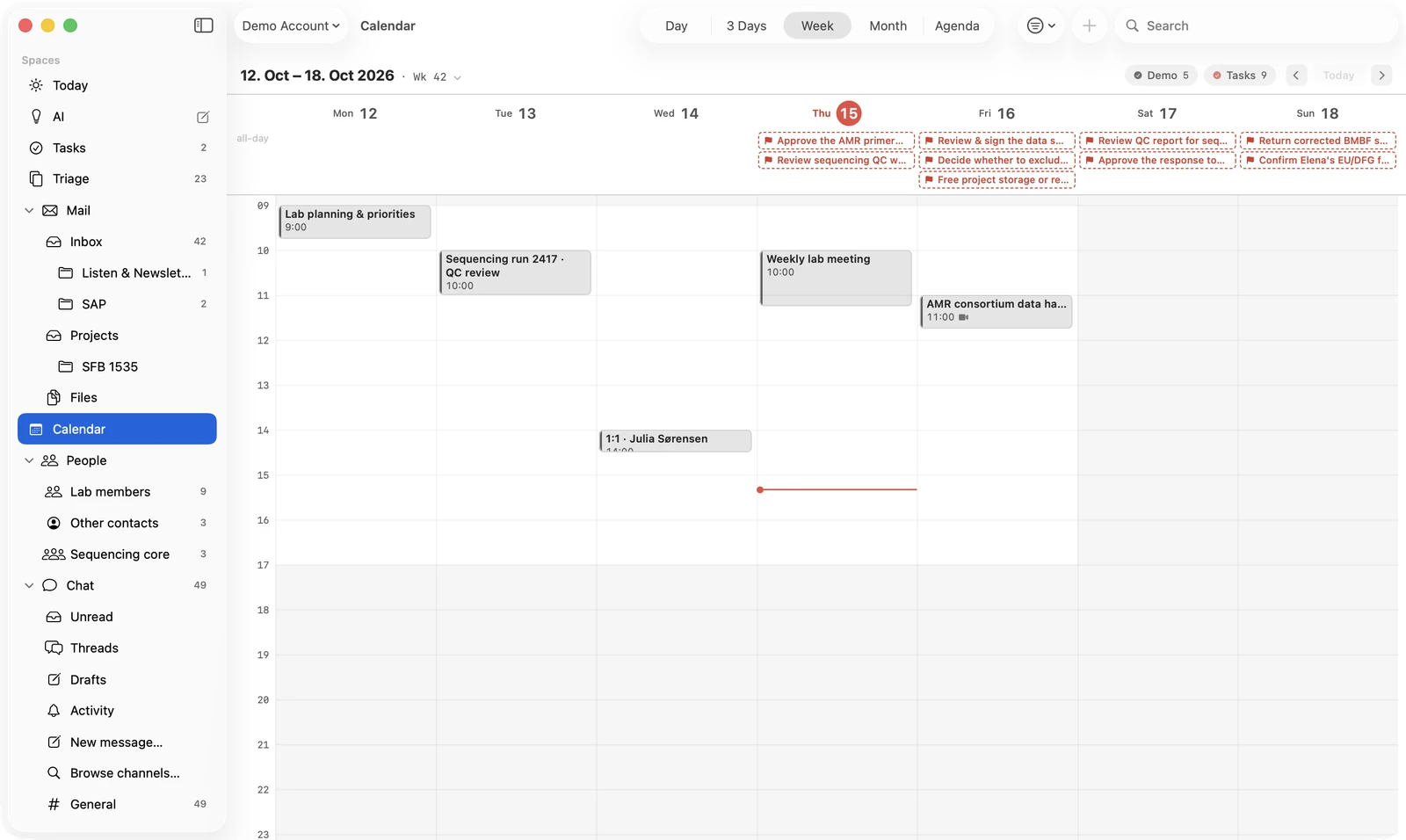
Your calendar, with the tasks beside your meetings.
The calendar of your mail account, editable, by day, week, month or as an agenda. Each task shows on the day it is due.
- CalendarYour meetings, editable on the Mac.
- TasksDue tasks beside the meetings of that day.
- WidgetsNext up, on the desktop.
Your choice of AI
You choose the model it works with.
Companion uses a language model service you pick: your institute’s, your lab’s server, or your own through a standard API. Nothing is sent until you agree, mailbox by mailbox.
- Your institute’sUse the service your institute runs, such as Helmholtz Blablador.
- Your lab’s serverIf your lab’s collaboration server offers a model, Companion can use it.
- Off until you agreeAI features stay off until you set up a service and agree for each mailbox.
- NativeA Mac app, for macOS 14 or later.
Part of OS
Your mailbox stays yours. The work goes to the lab.
Optional: switch on team sync, and Companion shares with the lab in OS.
- ChatThe lab’s channels, next to your mail.
- People and projectsThe same people and projects as in the browser.
- TasksShared tasks, with the ones from your mail among them.
- Add-onsNotepad, lab seminars, lab links, work time.
| Part | Companion | OS in the browser |
|---|---|---|
| Mail and mailbox | Yes, on your Mac | No |
| Tasks, calendar, people | Yes | Yes |
| Chat and projects | Yes, through team sync | Yes |
| Analysis, figures, writer | No | Yes |
| Where it runs | macOS 14 or later | Any browser |
Bring your mail into OS.
Companion is part of OS. We are looking for research groups and institutes to pilot OS with us, with Companion on their Macs.
Or write to support@ongoingscience.com